Obsidian plugin
Isfahan
Persian tilework for Obsidian. Lapis and turquoise palettes that follow the sun where you live, tile patterns from Persian architecture, serif type, and a reading view that looks like a printed book. This website wears the same look.
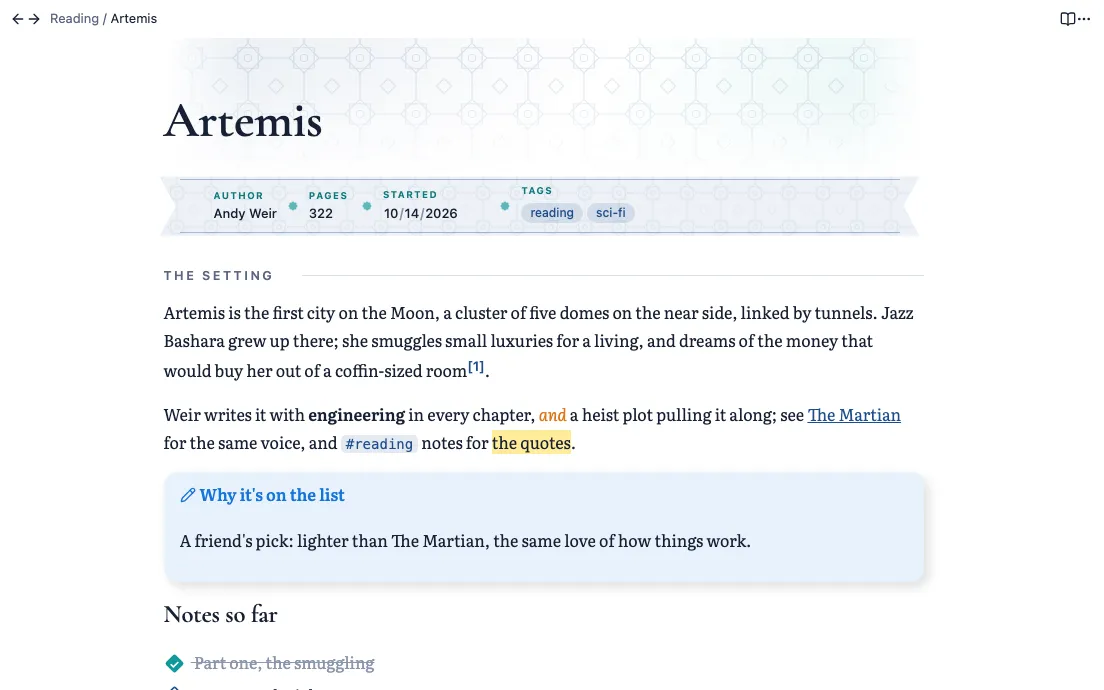
I built Isfahan for my own Obsidian vault, then separated the look from my notes and setup so it works in any vault.
Four phases, set by the sun
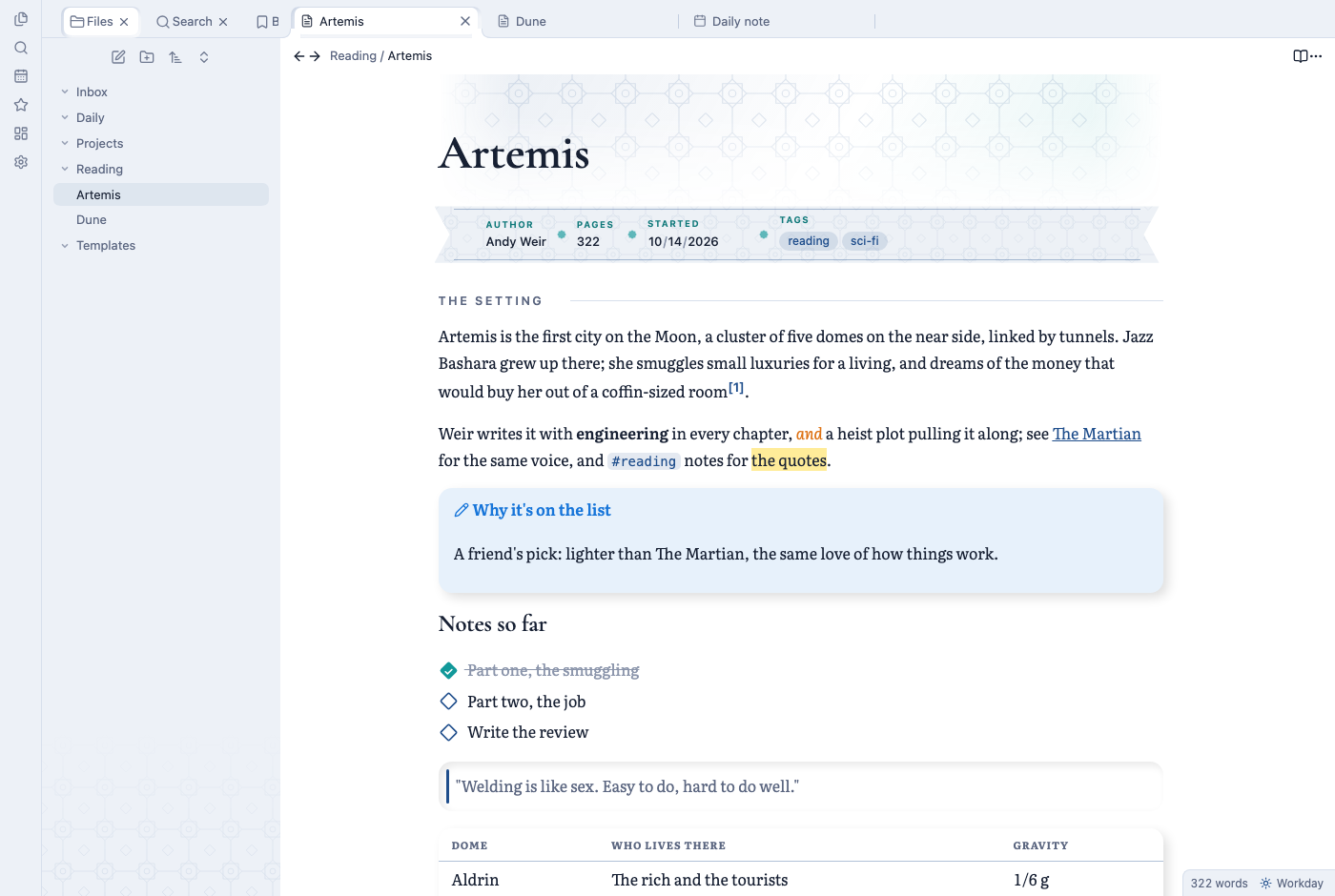
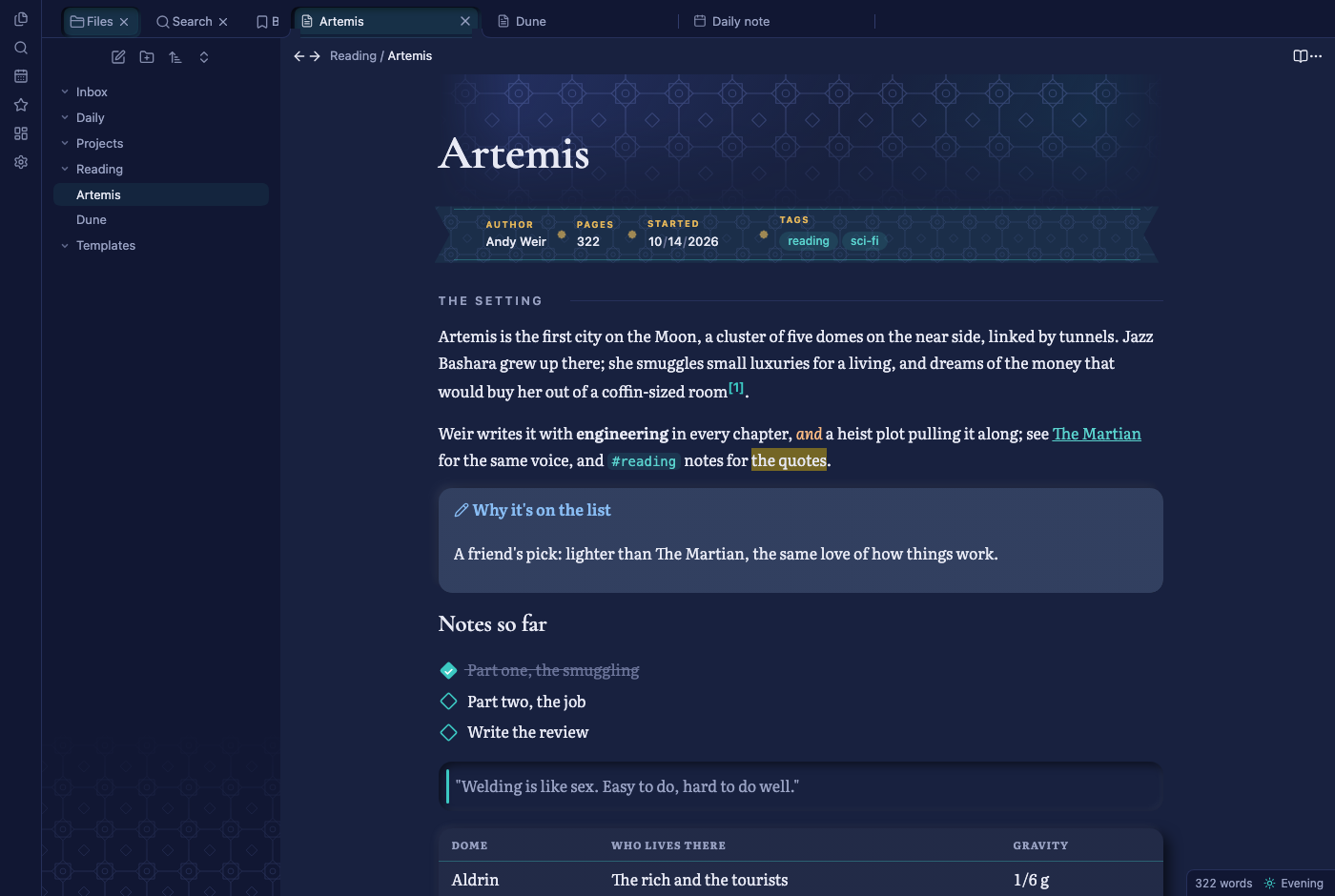
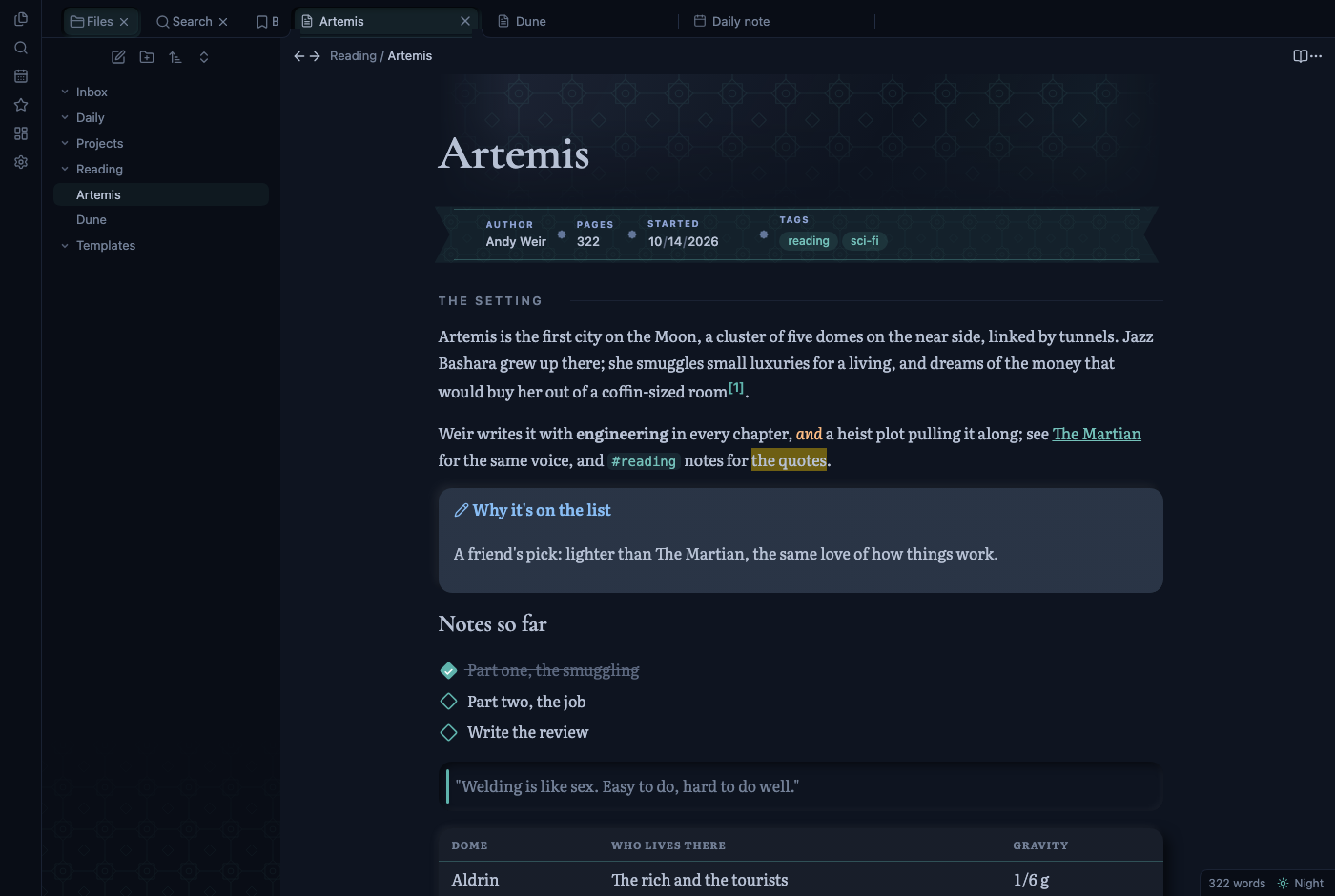
Isfahan works out sunrise and sunset for your place, on your computer, and moves through four palettes in a day.
| Phase | When | Look |
|---|---|---|
| Dawn | the three hours after sunrise | warm paper and turquoise |
| Workday | from then until sunset | crisp lapis and turquoise |
| Evening | the two hours after sunset | deep indigo and gold |
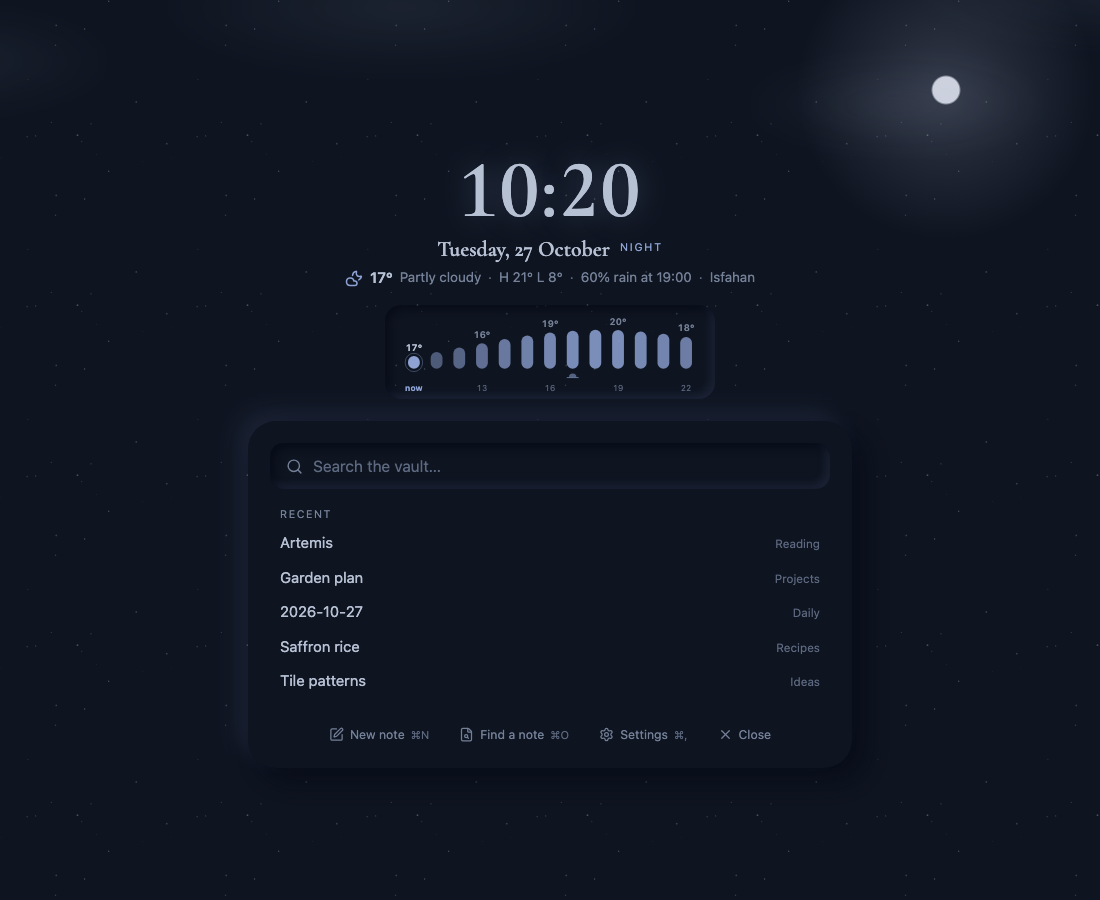
| Night | from then until sunrise | midnight blue and moonlit turquoise, in low contrast |
Dawn and Workday are light; Evening and Night are dark, and Obsidian’s light and dark mode switch with them. The status bar shows the current phase, and you can pick another by hand.
What it changes
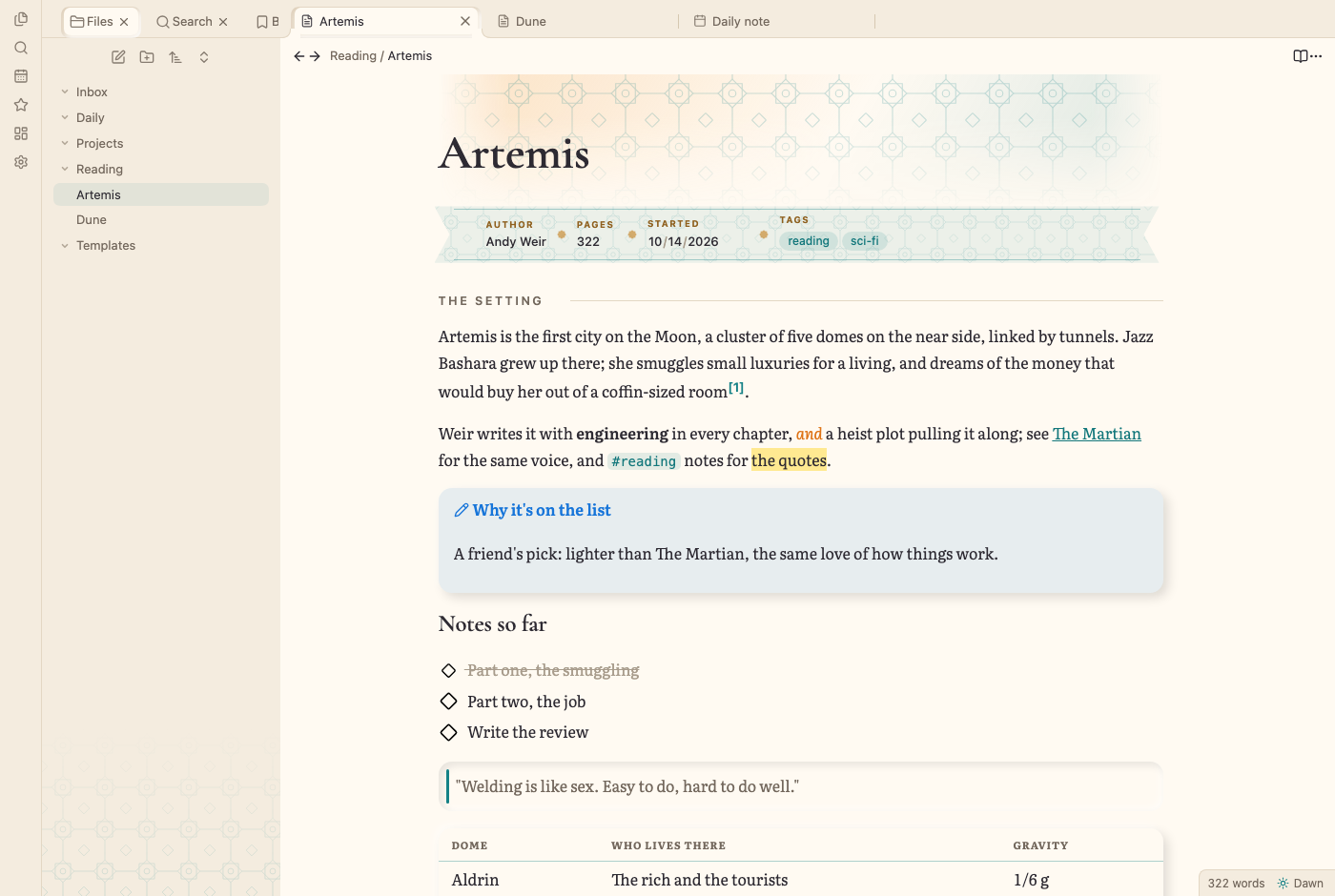
- Tile motifs. A tile band behind each note’s title, a faint lattice in the file explorer, diamond checkboxes, and an arch over
[!mihrab]callouts. Seven patterns to choose from, including Girih, Shamseh rosettes and Banna’i fret. - Fonts. Titles and top headings in Cormorant Garamond, page text in Literata, both bundled with the plugin.
- Page mode. In Reading view a note reads like a printed page: footnotes move into the margin, the first section opens with a drop cap, and the sidebars fade while you read.
- Property ribbon. The Properties block becomes a single line in the phase’s colors, in three styles.
- The finish. Callouts become raised cards, quotes sit in pressed-in panels, tables become cards with small-caps headers, and tags and inline code turn into chips.
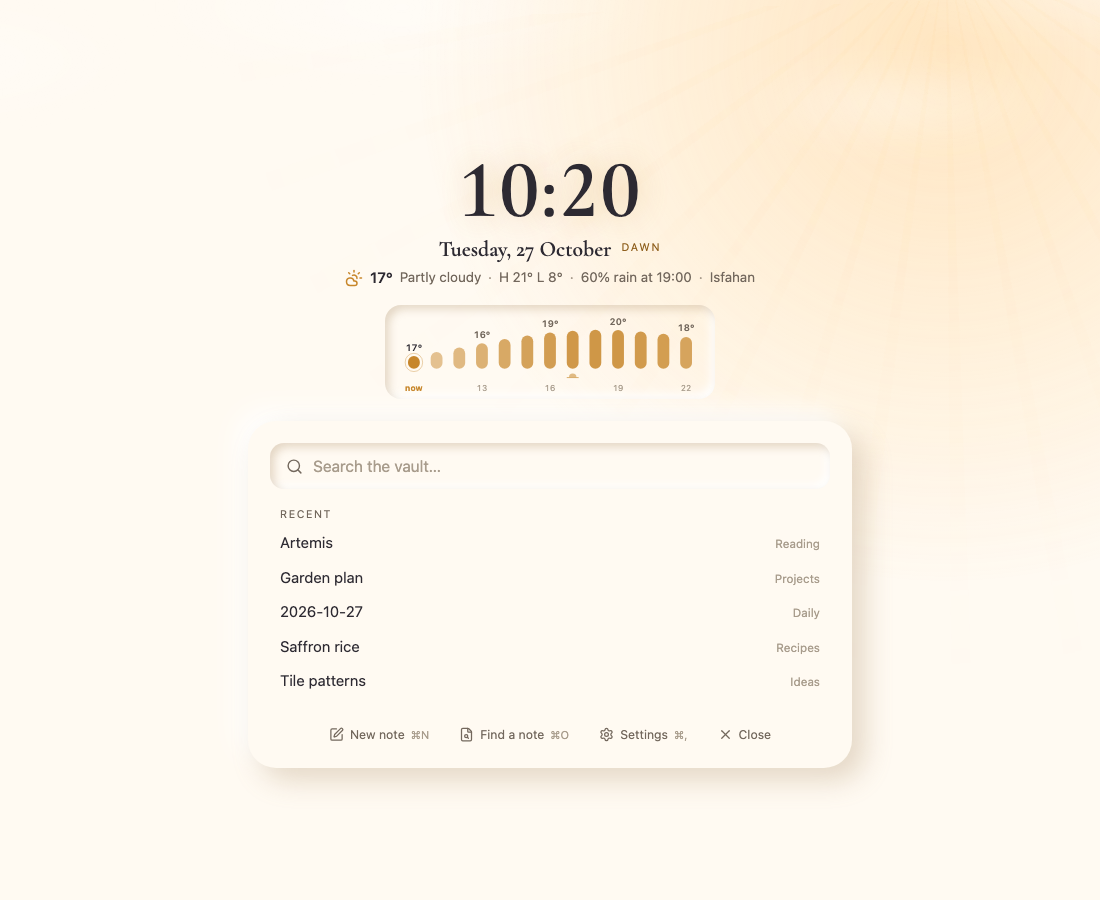
- A new tab. An empty tab shows the time, the date and the phase, the weather for the next 12 hours, a search over the vault and your recent notes.
Privacy
Sunrise and sunset are calculated locally, the fonts are built in, and there is no analytics of any kind. The only network use is the optional weather, from Open-Meteo, which needs no account or key.
How it’s built
Plain JavaScript and CSS, bundled with esbuild, with tests for the build, a privacy check, and loading and unloading the plugin. The screenshots on this page are generated by a script that renders a sample note in every phase. It runs on desktop Obsidian and is released under the MIT license.
Install
Download main.js, manifest.json and styles.css from the latest release into <your vault>/.obsidian/plugins/isfahan-look/, then turn Isfahan on under Settings → Community plugins. It will also be available from Obsidian’s community directory once it is listed there.
The same note in each phase
The new tab